
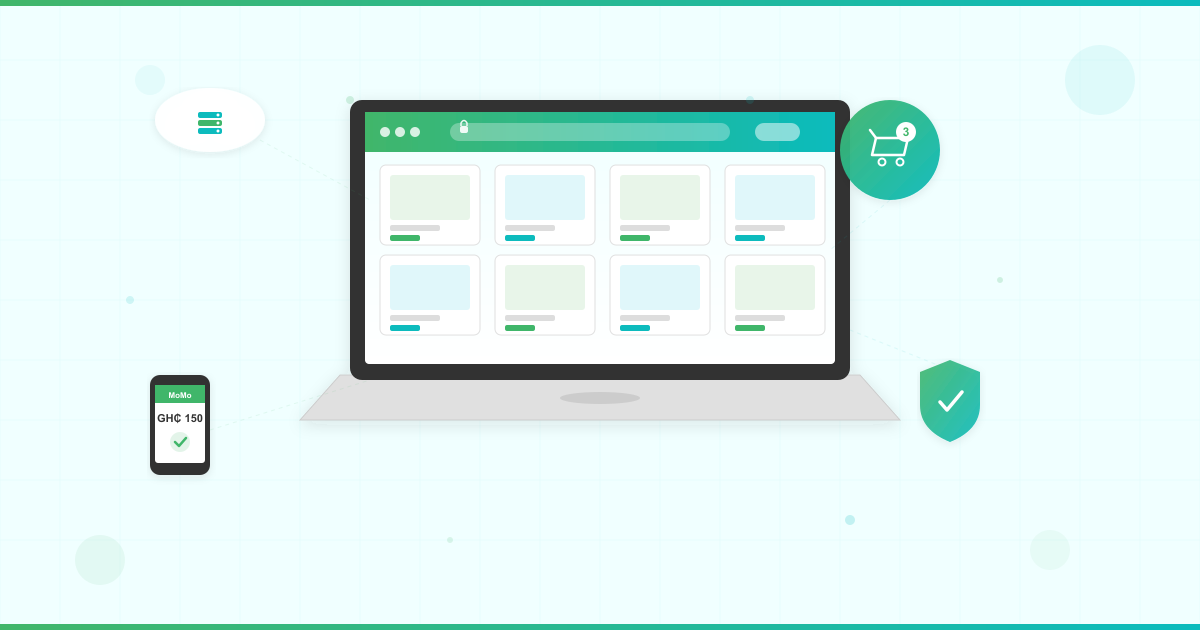



Ghana’s ecommerce market is projected to more than double by 2030, and Africa’s ecommerce sector is among the fastest-growing globally. If you’re looking for ecommerce hosting Ghana businesses can rely on to launch an online store, this guide gives you the complete roadmap — from choosing hosting to processing your first mobile money payment.
You don’t need a physical shop or a massive budget. With the right ecommerce hosting, a WordPress site, and a payment gateway that accepts mobile money, you can start selling to customers across Ghana and beyond. Millions of Ghanaians now shop online regularly, and mobile money dominates the digital payment landscape. This guide walks you through every step — from choosing your hosting plan to setting up WooCommerce to accepting GHS payments.
What You Need to Start an Online Store in Ghana
Before you write a single product description, you need four essentials in place:
- A domain name — your store’s address on the web (e.g., yourstore.com.gh). A strong domain name builds trust with customers before they even click. If you need guidance, read this practical guide to choosing a domain name.
- Web hosting — the server that stores your website files and keeps your store accessible 24/7. Your hosting is the foundation everything else sits on. New to hosting? Here’s what web hosting is and how it works.
- An SSL certificate — encrypts customer data during checkout. Non-negotiable for any store that handles payments. Your customers need to see that padlock icon in their browser before they’ll enter their mobile money details.
- An ecommerce platform — the software that powers your product catalog, shopping cart, and checkout. WooCommerce is the top choice for good reason: it’s free, open-source, and runs on WordPress. WooCommerce is the most widely used ecommerce platform globally, powering a significant share of online stores worldwide.
The good news? When you choose the right hosting plan, you get your domain, SSL, and one-click WordPress installation bundled together — no juggling multiple providers.
How to Choose Ecommerce Hosting Ghana Businesses Can Rely On

Not all hosting is built for ecommerce. Your online store in Ghana handles product images, customer accounts, shopping carts, and payment processing simultaneously. That demands more from your server than a standard business website.
Choosing the wrong ecommerce hosting leads to slow page loads, checkout timeouts, and lost sales. Here’s what to look for when selecting hosting for your WooCommerce store.
Server Requirements for WooCommerce Hosting
WooCommerce officially requires PHP 7.4 or higher, MySQL 8.0+ or MariaDB 10.6+, and a recommended 256MB PHP memory limit. These aren’t arbitrary numbers — they determine whether your store runs smoothly or crashes during a flash sale.
Your hosting must meet these specifications. LUMINWEB hosting plans exceed all WooCommerce server requirements out of the box, so you won’t need to worry about compatibility.
Shared Hosting vs WordPress Hosting for Ecommerce
Starting your first online store in Ghana? Both Shared Hosting and WordPress Hosting can power a new ecommerce website. Here’s how to decide:
- Shared Hosting gives you SSD storage, a free domain, free SSL, and the Softaculous one-click installer for WordPress and 400+ other apps. It’s the budget-friendly starting point — ideal if you’re testing the waters with a small product catalog. The Standard Shared Hosting plan offers 20GB SSD and 400GB bandwidth for growing stores.
- WordPress Hosting goes further with WordPress-optimized servers, enhanced security through Imunify360, and automatic backups. If WooCommerce is your platform (and for most ecommerce websites in Ghana, it is), this is the faster, more secure foundation. Learn more about how WordPress Hosting works.
Not sure which hosting type fits your business? This comparison of shared vs dedicated hosting breaks down the differences so you can decide based on your needs.
When to Scale to VPS
Processing hundreds of orders daily? Running multiple storefronts? VPS Hosting gives you dedicated resources with NVMe storage and full root access. Start with Shared or WordPress Hosting and scale to VPS when your traffic demands it.
That’s the beauty of starting with a hosting partner that grows with your business.
Why Local Hosting Matters for Ghana Ecommerce
Choosing a Ghana-based hosting partner gives you GHS pricing with no exchange rate surprises, local support that understands your market, and infrastructure powered by Google Cloud. International providers quote in USD — and when the cedi fluctuates, your hosting bill fluctuates with it.
Local ecommerce hosting Ghana businesses choose also means support that understands mobile money integrations, local payment gateways, and the realities of running an online business in West Africa. For a deeper look at what makes hosting reliable in this market, read the complete guide to choosing reliable web hosting in Ghana.
Step-by-Step: Set Up WooCommerce on Your Hosting

Once you’ve chosen your ecommerce hosting plan, setting up your online store takes six straightforward steps. No coding required. Whether you picked Shared Hosting or WordPress Hosting, the process is identical.
Step 1: Sign Up and Register Your Domain
Pick a hosting plan that matches your needs. Every LUMINWEB plan includes free domain registration and free renewal, so your store’s web address is covered from day one.
Choose a domain that’s short, memorable, and reflects your business. Avoid hyphens and numbers — customers will type it from memory on their phones.
Step 2: Install WordPress
Log in to your cPanel or DirectAdmin control panel and open the Softaculous one-click installer. Select WordPress, choose your domain, set your admin username and password, and click install.
Your WordPress site is live in under two minutes. No FTP uploads, no database configuration, no command-line work.
Step 3: Install WooCommerce
From your WordPress dashboard, navigate to Plugins > Add New. Search for “WooCommerce,” click Install Now, then Activate. WooCommerce is free and maintained by Automattic, the company behind WordPress.
Step 4: Run the Setup Wizard
WooCommerce launches a setup wizard after activation. Configure these essentials:
- Store location: Ghana
- Currency: GHS (Ghana Cedi)
- Shipping zones: Define delivery areas and rates for your target markets (Accra, Kumasi, nationwide, or cross-border)
- Tax settings: Configure based on your business requirements
Take your time here. Getting your currency and shipping zones right from the start prevents headaches later.
Step 5: Add Your Products
Go to Products > Add New in your dashboard. For each product, add:
- A clear product name that includes words your customers search for
- A detailed description highlighting benefits, not just features
- The price in GHS
- High-quality product images (compress them for fast mobile loading — more on this below)
- Product categories and tags for easy browsing
Start with your top 10-20 products. You can always add more as you refine your product descriptions and photography.
Step 6: Configure Store Pages
WooCommerce automatically creates your Shop, Cart, Checkout, and My Account pages. Review each one to ensure they display correctly on both desktop and mobile.
Customize your store’s theme to match your brand — choose a mobile-responsive WooCommerce theme from the start.
How to Accept Payments on Your Ghana Online Store

Your payment gateway determines how customers pay you. For an ecommerce website in Ghana, you need a gateway that supports the payment methods your customers actually use — and that means mobile money.
Paystack: The Top WooCommerce Payment Gateway for Ghana
Paystack is the leading choice for WooCommerce stores in Ghana. It supports GHS payments via Mastercard, Visa, USSD, Mobile Money, and Bank Transfer — covering virtually every way Ghanaian customers pay online.
To install: Go to Plugins > Add New, search for “Paystack WooCommerce Payment Gateway,” install, and activate. Enter your Paystack API keys (from your Paystack merchant dashboard) in WooCommerce > Settings > Payments > Paystack.
Paystack processes settlements in GHS directly to your bank account. No currency conversion needed.
Mobile Money Integration for WooCommerce
Mobile money dominates Ghana’s digital payment landscape. MTN MoMo, Vodafone Cash, and AirtelTigo Money are how millions of Ghanaians transact daily. If your online store in Ghana doesn’t accept mobile money, you’re turning away the majority of potential buyers.
Paystack handles mobile money payments natively, so most store owners won’t need a separate plugin. Dedicated plugins like the MTN MoMo WooCommerce plugin offer direct integration if you want a standalone mobile money checkout option for customers who prefer it.
Other Ghana-Compatible Payment Gateways
- ExpressPay — Ghana-focused payment gateway with mobile money support
- Hubtel — Payments, invoicing, and mobile money in one platform
- TheTeller — Supports card and mobile money payments for Ghanaian businesses
Whichever gateway you choose, your SSL certificate must be active before you process any payment. No SSL means no encrypted checkout — and no customer trust.
Looking for ecommerce hosting Ghana store owners trust? LUMINWEB Shared Hosting gives you everything to get started — free domain, free SSL, and the Softaculous one-click installer to set up WooCommerce in minutes.
Optimize Your Online Store for Mobile Shoppers
The majority of African ecommerce transactions happen on mobile devices. In Ghana, your customers are browsing on smartphones over mobile data — not desktop computers with fiber broadband. Your ecommerce website must perform on a 5-inch screen with a 3G connection.
Here’s how to optimize:
- Choose a mobile-responsive theme. Your WooCommerce theme must adapt to every screen size automatically. Test it on an actual phone, not just your laptop’s responsive mode.
- Compress product images. Large images kill load times on mobile data. Use tools like TinyPNG or ShortPixel to reduce file sizes without sacrificing quality. Aim for under 100KB per product image.
- Enable caching. Install a caching plugin like W3 Total Cache or WP Super Cache to serve pages faster to returning visitors.
- Activate your CDN. A Content Delivery Network stores copies of your site closer to your customers, cutting load times significantly. LUMINWEB includes free CDN access with hosting plans.
- Minimize plugins. Every plugin adds weight. Keep only what your store genuinely needs. A fast store converts more visitors into buyers.
For a deeper dive into speed optimization, read this guide on speeding up your site with WordPress Hosting.
Secure Your Ecommerce Website
Your customers trust you with their personal data, delivery addresses, and payment information. One security breach destroys that trust permanently. For any ecommerce website in Ghana handling financial transactions, security is not optional.
Build security into your store from day one:
- SSL certificates encrypt every transaction between your store and your customers. LUMINWEB includes free SSL with every hosting plan — activate it immediately after setup.
- Imunify360 delivers firewall protection and malware scanning across LUMINWEB hosting plans. It blocks threats before they reach your store.
- Automatic backups protect your product catalog, orders, and customer data. If something goes wrong, you restore — not rebuild from scratch.
- Keep everything updated. WordPress core, WooCommerce, your theme, and every plugin. Outdated software is the number one attack vector for online stores.
- Use strong passwords and two-factor authentication for your WordPress admin, hosting control panel, and payment gateway accounts. Never reuse passwords across services.
Want the full picture? Read the complete guide to web hosting security for your online presence.
Your Pre-Launch Checklist
Before you announce your store to the world, run through this checklist:
- Test every payment method with a small transaction — confirm GHS payments and mobile money process correctly
- Verify the SSL padlock appears on every page, especially checkout
- Browse your entire store on a mobile phone — check product pages, cart, and checkout flow
- Set up order confirmation and shipping notification emails
- Create essential pages: About Us, Contact, Return Policy, Privacy Policy
- Submit your sitemap to Google Search Console so your products appear in search results
- Share your store link on WhatsApp, Facebook, Instagram, and Twitter
- Test your store’s loading speed — aim for under 3 seconds on mobile
Every item on this list protects your first impression with customers. Skip none of them. A smooth first experience turns a visitor into a repeat buyer.
Start Selling Online in Ghana Today
You now have the complete roadmap: ecommerce hosting Ghana businesses need, WordPress, WooCommerce, local payment gateways, mobile optimization, and security. The ecommerce opportunity in Ghana is growing fast, and your online store puts you right in the middle of it.
Start small. Add your first 10 products. Process your first order. Then scale as your business grows.
Launch your online store today with LUMINWEB WordPress Hosting — optimized for WooCommerce with free SSL, one-click WordPress installation, and Imunify360 security. Your store deserves hosting built for African businesses.
