
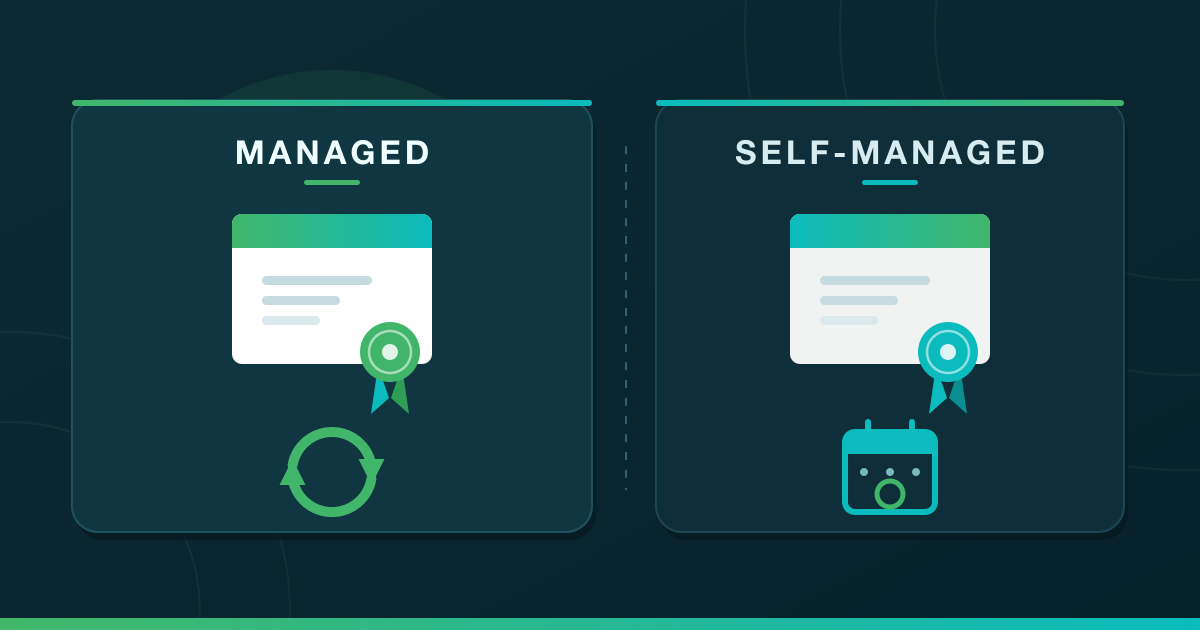



Managed SSL means your hosting provider requests, installs and renews your certificate for you. Self-managed SSL means all three jobs are yours. That distinction matters more in 2026 than it did two years ago, because certificate lifetimes are being cut sharply between now and 2029.
It also sits on top of a second decision most guides treat separately: which certificate type you need. This guide answers both, with a managed vs self-managed SSL comparison table, a 2026 comparison of DV, OV, EV, Wildcard and SAN, and a direct answer on whether cPanel’s AutoSSL is trusted by browsers.
What Is the Difference Between Managed and Self-Managed SSL?
Managed SSL means someone else, almost always your hosting provider or control panel, requests the certificate from a certificate authority, installs it on the server, and renews it before it expires. Self-managed SSL means you do all three yourself.
The encryption is identical either way. What changes is who is responsible the day a renewal fails.
Here is self-managed SSL vs managed SSL, job by job:
| Managed SSL | Self-managed SSL | |
|---|---|---|
| Who requests the certificate | Your host or control panel, automatically | You, directly from a certificate authority |
| Who installs it on the server | Your host or control panel | You, including the intermediate chain |
| Who renews it | Your host, on a schedule, before expiry | You, every cycle, indefinitely |
| What happens if renewal fails | Host tooling retries, and support can step in | Visitors hit a full-page browser warning until you fix it |
| Cost model | Usually bundled into the hosting plan | Certificate cost plus your time, or a paid managed add-on |
| Who it suits | One site or a few sites, no ops team | Custom infrastructure, root access, a named owner for renewals |
Most small business owners are already on the managed side without ever having chosen it. If your site runs on shared or WordPress hosting, the certificate was almost certainly issued and renewed for you, and you have no decision to make.
The same split runs one level deeper, through the server itself. Our comparison of managed vs unmanaged WordPress hosting covers who patches, backs up and secures the machine your certificate sits on.
Why the Managed vs Self-Managed SSL Choice Got Harder in 2026
The CA/Browser Forum has adopted a schedule that reduces the maximum validity period for public TLS certificates from 398 days to 47 days, with the reductions starting in March 2026 and concluding in March 2029. Certificates used to last about a year, which made self-managed renewal an annual calendar entry. That era is closing fast.
The intermediate steps matter more than the endpoint. As reported by Sectigo, citing CA/Browser Forum Ballot SC-081v3, the maximum certificate validity fell to 200 days on 15 March 2026, drops to 100 days on 15 March 2027, and to 47 days on 15 March 2029.
This is already in force rather than scheduled. According to DigiCert, it now issues public TLS certificates with 199-day validity.
Now do the arithmetic on the self-managed path. A renewal you handled once a year becomes roughly twice a year today, then several times a year from March 2027.
Each cycle repeats the same sequence: request, validate, install, reload the service, confirm the chain resolves. Miss one, and every visitor sees a security warning instead of your homepage.

Managed or Self-Managed SSL: Which Should You Choose?
For almost every business website, managed. Choose self-managed only when you have root access, a specific reason to control the certificate yourself, and someone whose job it is to renew it.
First find out which side you are already on, because most owners do not know. One message to your host or developer settles it: do you issue and renew my SSL certificate automatically, or is that mine to do?
If you have control panel access, check it yourself — in cPanel, open SSL/TLS Status and look at your domain. A certificate listed with automatic issuance active is managed; one you or someone you paid installed by hand is not.
Do not use the padlock for this. It proves only that a valid certificate is being served today, which is equally true on both sides, and it is exactly what stops being true the morning a self-managed renewal is missed. If the answer comes back self-managed and you would rather it did not, switch by turning on your panel’s automatic issuance or moving to hosting that handles it for you.
- One website on shared or WordPress hosting — Managed, in almost every case. Confirm it with the question above, then move on.
- Several sites on one account, or an agency running client sites — Managed. Control panel automation covers your primary domain, the
wwwsubdomain and addon domains together, so nothing goes dark on a missed renewal. - A VPS with root access and an operations process — Self-managed is reasonable, provided renewal is automated and monitored rather than diarised.
- A paid OV or EV certificate — Partly self-managed by nature. You complete the validation, and unless your certificate authority offers managed renewal, reinstalling each cycle is your job.
- A requirement to hold your own private keys — Self-managed, with the renewal cadence above written into your process.
Free SSL certificates are included with every LuminWeb Shared Hosting and WordPress Hosting plan, and they are issued and renewed automatically on either control panel. That puts these plans squarely on the managed side of this comparison. Browse shared hosting plans with free SSL included, or see how much a website costs in Ghana for where that removes a budget line entirely.

What Is an SSL Certificate?
An SSL certificate is a small file on your web server that does two jobs: it encrypts the connection between your website and your visitors, and it proves to their browser that your domain is what it claims to be. When it is active, your URL changes from http:// to https:// and a padlock appears in the browser bar.
Modern certificates actually use TLS (Transport Layer Security), the successor to SSL, though the industry still calls them SSL certificates. All legitimate certificates do the same encryption work; the differences between types are about how thoroughly the certificate authority verifies who you are.
SSL Certificate Types Compared (2026)
There are five main SSL certificate types in 2026: DV (Domain Validated), OV (Organization Validated), EV (Extended Validation), Wildcard, and SAN (multi-domain). DV, OV and EV differ only in validation depth. Wildcard and SAN differ in what they cover.
| SSL type | Validation depth | Issue time | Browser indicator | Best for | Cost tier |
|---|---|---|---|---|---|
| DV (Domain Validated) | Domain ownership only | Minutes | Padlock | Blogs, brochure sites, small business websites, most SMEs | Free or low |
| OV (Organization Validated) | Domain + business registration check | A few business days | Padlock (org name visible in certificate details) | Public-facing organizations, B2B sites, mid-market businesses | Moderate |
| EV (Extended Validation) | Domain + thorough business vetting | Up to about a week | Padlock (org name visible in certificate details) | Banks, regulated finance, government, large e-commerce | Higher |
| Wildcard | Domain ownership (DV or OV-tier) | Minutes to days | Padlock | One domain plus unlimited subdomains (e.g. *.yourdomain.com) |
Moderate to higher |
| SAN / Multi-domain | Domain ownership for each domain | Minutes to days | Padlock | Multiple distinct domains under one certificate (e.g. .com + .org + .ng) |
Moderate to higher |
- DV, OV and EV all encrypt traffic the same way. Only the depth of identity checking changes.
- Issue time scales with validation depth. DV is automated and finishes in minutes. EV requires manual document checks.
- EV no longer buys a visible trust signal. Mainstream browsers stopped surfacing the company name in the address bar, so your visitors will not see a difference. According to Mozilla, Firefox moved the Extended Validation indicator out of the address bar in Firefox 70, relocating the company name into the Site Information panel that opens when you click the lock icon. Any guide still promising a green address bar is out of date.
- OV comes in the same shapes as DV. There are single-domain OV certificates, OV wildcards covering your subdomains, and OV multi-domain certificates. Validation tier and coverage type are separate choices.
- Wildcard versus SAN is the other common mix-up. Wildcard secures one domain plus every subdomain under it. SAN secures multiple distinct domains under one certificate.
Which SSL Type Does Your Business Need?
For most small business websites, a free DV certificate is the right call. OV or EV only makes sense in regulated finance, government, or enterprise procurement. Wildcard fits multi-subdomain setups; SAN fits multiple distinct domains.
- Brochure site, blog, or small business website — DV. The free certificate your hosting plan issues covers it.
- E-commerce selling to consumers — DV is enough technically. Some businesses choose OV for brand-on-certificate optics, but it does not affect payment processing or PCI compliance. If your store checks out through a hosted payment gateway, Paystack, Flutterwave and Hubtel being common examples in the region, the processor handles PCI scope on its own checkout pages.
- Multi-subdomain SaaS or platform (
app.yourdomain.com,api.yourdomain.com) — Wildcard. One certificate, every subdomain. - Multiple separate brands or country domains (
yourbrand.com.gh,yourbrand.ng) — SAN or multi-domain. - Bank, payment processor, regulated finance, or government — OV at minimum, EV where your sector expects it.
- Reseller or agency managing client sites — A wildcard on your own domain plus an automatically issued DV certificate on each client domain.
For a salon, restaurant, consultancy or small online shop, free DV is the answer. OV or EV starts to make sense once you are processing serious transaction volume or operating in a regulated sector.
Is AutoSSL Recognized by Browsers?
Yes. AutoSSL certificates issued through cPanel are recognized and trusted by every major browser, Chrome, Firefox, Safari, Edge and Brave included. The browser does not distinguish a free automatically issued certificate from a paid one at the trust level.
Here is why. AutoSSL is cPanel’s managed-SSL feature, and it does not invent its own certificates. It requests them from a publicly trusted certificate authority, commonly Sectigo or Let’s Encrypt, whose roots already ship in the trust stores browsers and operating systems use.
A few practical implications for site owners:
- AutoSSL is DV-tier. It validates that you control the domain, then issues a free DV certificate, which is sufficient for the vast majority of business websites.
- Renewal is automated. It re-runs on a schedule and renews before expiry. That is the managed path in action, and the reason shrinking certificate lifetimes never become your problem.
- If you see
NET::ERR_CERT_AUTHORITY_INVALIDon your own site, the certificate is missing, expired, or self-signed. Log in to cPanel, open SSL/TLS Status, and click Run AutoSSL. The error usually clears within a few minutes. If it does not, the common causes are that the domain is not yet pointing at the hosting server, that a DNS change is still propagating, or that the domain has been excluded from automatic issuance, and support can confirm which.
WordPress sites get the same treatment: automatic issuance covers your primary domain, the www subdomain, and addon domains on the same account. Pair it with our WordPress security checklist for a complete baseline.
One clarification, because it trips people up: AutoSSL is a cPanel feature name, not a certificate type. DirectAdmin uses its own built-in Let’s Encrypt issuer to do the same job. Your control panel does not change the trust outcome, and it does not change whether the certificate is managed for you.
Free vs Paid SSL: When Free Is Enough
Free SSL is sufficient for most business websites. A free DV certificate encrypts exactly as strongly as a paid one. What you pay for with OV and EV is identity verification.
Free DV SSL is the right choice when:
- You run a brochure site, blog, portfolio, or small business website.
- You sell through a platform that handles payment processing on its own gateway.
- You need HTTPS to clear browser “Not Secure” warnings.
- You want automated renewal without managing certificates yourself.
Paid SSL (OV or EV) is worth considering when:
- Your sector expects organization-validated certificates, as regulated finance, government and healthcare often do.
- Your procurement team or auditor requires OV-tier validation.
- You want the organization name in your certificate details for B2B trust signals.
One caveat follows from the shorter lifetimes above: a paid certificate you install by hand is a self-managed certificate. Confirm whether your certificate authority offers managed renewal before you assume the job ends at purchase.
How HTTPS Affects SEO and Trust in 2026
HTTPS is a baseline expectation in 2026, not a competitive advantage. Google has treated it as a lightweight ranking signal for years, and the signal is small on its own. The second-order effects matter more:
- Browsers flag HTTP sites as “Not Secure.” Visitors leave before reading your homepage, engagement weakens, and rankings follow.
- Analytics and ad platforms depend on HTTPS for referrer data, conversion tracking, and browser APIs including geolocation and service workers.
- HTTP/2 and HTTP/3 only run over HTTPS, so sites still on HTTP miss performance gains that Core Web Vitals measures.
There is a local dimension too. Visitors entering mobile-money numbers at checkout look for the padlock, and its absence at the point of payment is one of the fastest ways to lose a sale. If you are launching an online store in Ghana, or collecting names, phone numbers or email addresses through a form, encryption in transit is the floor any data-protection review starts from.
How to Install or Activate SSL: The Managed Path vs the Self-Managed Path
The path depends on whether your host manages the certificate for you.
The managed path: your host issues and renews the certificate
On shared or WordPress hosting with automatic SSL, you install nothing. The certificate is issued once your domain points at the server, then renewed on a schedule.
LuminWeb shared hosting is available with either the cPanel or DirectAdmin control panel, and SSL is issued and renewed automatically on both. You do not request a certificate and you do not trigger a renewal.
To verify it on a cPanel plan:
- Log in to cPanel and open SSL/TLS Status under the Security section.
- Find your domain. A green padlock means the certificate is active.
- If no certificate is listed, click Run AutoSSL, wait a few minutes and refresh.
- Under Domains, enable Force HTTPS Redirect.
On DirectAdmin it is the same idea in a different menu. The exact control name varies by DirectAdmin version, so look for the SSL certificate area for your domain, confirm a certificate is present and covers both the bare domain and the www version, then enable the forced HTTPS redirect.
The self-managed path: you request and install the certificate yourself
Without a control panel handling it, you own the whole cycle: request, install with the intermediate chain, reload the web server, repeat before every expiry. Three failure modes account for most broken self-managed setups:
- The intermediate chain is installed incorrectly, so the site works in one browser and fails in another.
- The renewal fires, but the web server or mail service is never reloaded, so it keeps serving the expired certificate.
- The certificate renews on one endpoint but not on a load balancer, staging host or subdomain configured separately.
Automate the renewal with an ACME client that requests the certificate and then runs a reload hook, so the web server, and any mail service sharing the certificate, actually restarts and serves the new file. The reload half is what most setups skip, and it is the second failure mode above.
Then verify it the way that catches that failure: read the expiry date the server is actually serving, not the date on the file sitting on disk. Open your site in a browser, click the padlock and view the certificate details. A renewal that never reloaded shows the old date here while a perfectly good new certificate sits unused beside it.
Set the alert to match the ceiling, not the calendar. With the maximum already at 200 days and dropping to 100 days in March 2027, an annual reminder is wrong twice over.
The paid OV or EV path: validation you complete, installation you own
If your business needs OV or EV, you buy directly from a certificate authority, complete validation, then install the certificate file through the SSL/TLS section of cPanel or DirectAdmin. Paste the intermediate chain into the CA bundle field beside the certificate field in the same step, because a certificate installed without its chain is the first failure mode above. Renewal is manual unless your certificate authority sells managed renewal alongside it.

Who Renews Your SSL Certificate, and How Often?
Your host renews it if your SSL is managed; you renew it if it is not. Renewal frequency is now the most practical consequence of that split: under the CA/Browser Forum schedule above, the maximum lifetime is already well under a year and keeps falling through 2029.
If your host manages the certificate, this changes nothing for you. The automation simply runs more often, and as long as your domain still points to your hosting server, the certificate stays valid without effort on your part.
If you manage SSL yourself, run the automation and the served-date check described above on a schedule. An expired certificate triggers an immediate full-page browser warning, and visitors do not click through it.
Good business email hosting in Ghana uses the same trust chain, so when your hosting renews the website certificate automatically, the mail server typically rides along on it.
Related Articles
- How Much Does a Website Cost in Ghana? Build Your Own for Less (2026 DIY Guide)
- How to Advertise Your Business Online in Ghana: A 2026 Guide for SMEs
Secure Your Site With Hosting That Includes SSL
The question is no longer whether your site needs HTTPS. It is whether your hosting handles the certificate for you or leaves the renewal cycle on your desk, and shorter lifetimes have made that a bigger difference than it used to be.
Free SSL certificates are included with every LuminWeb Shared Hosting and WordPress Hosting plan, issued and renewed automatically on cPanel and DirectAdmin alike. That is the managed path, on from day one, with nothing to buy and no renewal to diarise. Pair it with our guide to building a business website in Ghana for the full launch sequence.
Compare hosting plans built for growing businesses — free SSL, free domain, and a money-back guarantee on every shared hosting plan. Some items are non-refundable, so read the refund policy before you pay.
