
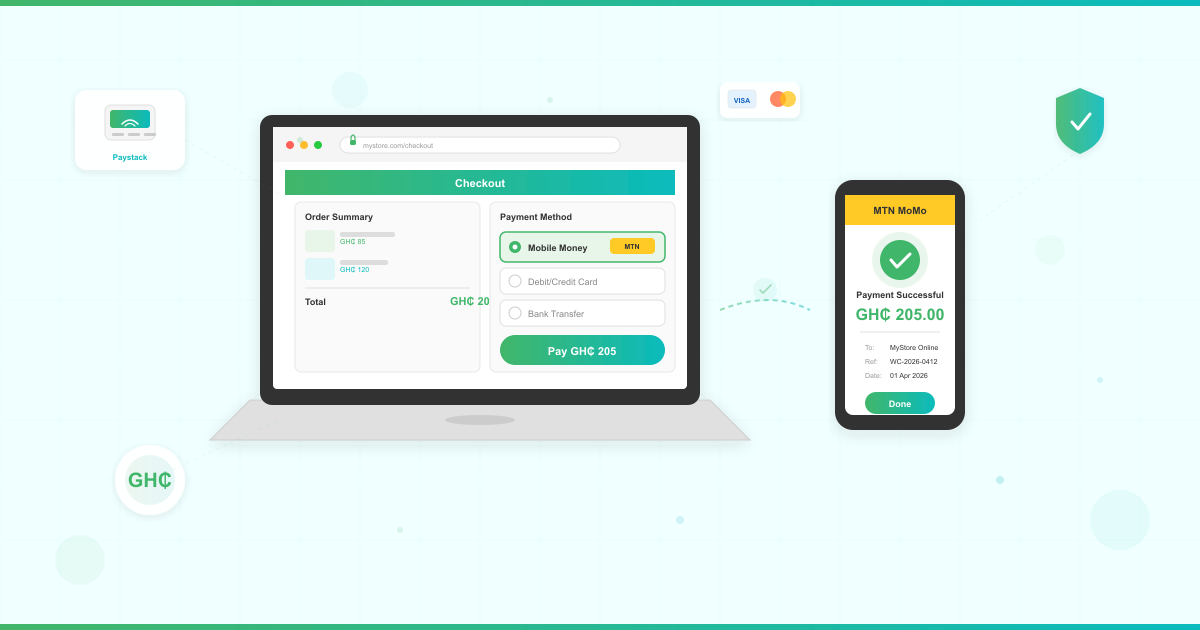



Your customers are ready to pay online. The question is whether your website is ready to accept their money. With checkout sorted, the next step is to bring buyers in — learn how to advertise your business online in Ghana.
To accept online payments in Ghana, you need three things: reliable hosting with an SSL certificate, WordPress with WooCommerce installed, and a Bank of Ghana-licensed payment gateway like Paystack or Hubtel that supports mobile money. This guide walks you through the full setup — no developer required.
Mobile money transactions in Ghana reached GH₵447.4 billion in February 2026 alone. Nearly 6 in 10 Ghanaian adults actively use mobile money. And Ghana’s e-commerce market is on track to exceed $2 billion this year.
The opportunity is massive. Yet most Ghana business websites still send customers to WhatsApp or bank transfer spreadsheets to complete a purchase.

What You Need Before Setting Up Online Payments
Before you add a payment gateway to your Ghana website, three things need to be in place.
A reliable hosting plan. Payment processing demands consistent uptime. If your site goes down during checkout, you lose the sale and your customer’s trust. Look for hosting with SSD storage, security features, and strong uptime performance.
An SSL certificate. SSL encrypts the data between your customer’s browser and your server. Every payment gateway requires it. Without SSL, browsers display a “Not Secure” warning — and customers abandon checkout. Learn more in our guide on why SSL certificates matter for your business.
A WordPress site with WooCommerce. WooCommerce is the most popular e-commerce plugin for WordPress. It’s free, handles product listings, cart, and checkout — and every major Ghana payment gateway has a WooCommerce plugin. If you haven’t set up WordPress yet, follow our guide to install WordPress on your hosting.
LUMINWEB WordPress Hosting includes free SSL certificates, one-click WordPress installation, and Imunify360 security — everything a payment-enabled site needs out of the box.
What Are the Online Payment Methods in Ghana?
Ghanaian customers pay differently than customers in Europe or North America. Your payment setup needs to reflect how people actually pay here.
Mobile money is the dominant payment method in Ghana. MTN MoMo alone serves over 19 million active users, commanding 73% of the mobile money market. Telecel Cash and AirtelTigo Money round out the options. If your website doesn’t accept mobile money, you’re excluding the majority of potential buyers.
Bank cards (Visa and Mastercard) are growing but still secondary. They’re popular with salaried professionals and corporate buyers. Supporting cards alongside mobile money gives you the widest reach.
Bank transfers work for high-value B2B transactions but add friction for everyday purchases. Most payment gateways now offer instant bank-to-wallet transfers as a smoother alternative.
The bottom line: Your payment gateway must support MTN MoMo at minimum. The best gateways let your customers choose between mobile money, cards, and bank transfer from a single checkout page.
Which Payment Gateway Works Best for Ghana Websites?
Four payment gateways stand out for accepting online payments on Ghana websites. Here’s how they compare.
| Gateway | Mobile Money | Cards | Bank Transfer | WooCommerce Plugin | Integration Steps |
|---|---|---|---|---|---|
| Paystack | MTN, Telecel, AirtelTigo | Visa, Mastercard | Yes | Official plugin | Install plugin → paste API keys → enable channels |
| Hubtel | MTN, Telecel, AirtelTigo | Visa, Mastercard | Yes | Available | Install plugin → configure merchant ID → map callbacks |
| ExpressPay | MTN, Telecel, AirtelTigo | Visa, Mastercard | Yes | Available | Install plugin → set API credentials → configure IPN URL |
| Flutterwave | MTN, Telecel | Visa, Mastercard | Yes | Official plugin | Install plugin → paste API keys → select payment methods |
Paystack is the most widely adopted gateway for WordPress sites in Ghana. It offers a polished checkout experience, straightforward documentation, and a well-maintained WooCommerce plugin. Transaction fees are competitive — check Paystack’s pricing page for current Ghana rates.
Hubtel is a strong local option with deep mobile money integration and additional features like invoicing and delivery tracking.
ExpressPay is a Ghana-built gateway popular with larger businesses and institutions.
Flutterwave gives you access to payments across multiple African countries if you plan to sell beyond Ghana.
For most Ghana small businesses, Paystack is the recommended starting point — easiest WooCommerce payment setup, best documentation, and strong local support.
Step-by-Step: Set Up Paystack on Your WordPress Site in Ghana
Here’s exactly how to add Paystack to your WordPress and WooCommerce site. This takes about 30 minutes.
1. Create Your Paystack Account
Visit paystack.com and sign up with your business email. You’ll need:
- A valid Ghana phone number
- Your business registration details (or personal ID for sole proprietors)
- A bank account for settlement
Paystack will verify your account. Basic verification is usually completed within 24-48 hours.
2. Install WooCommerce
In your WordPress dashboard, go to Plugins → Add New and search for “WooCommerce.” Install and activate it. The setup wizard walks you through your store basics — currency (GHS), location (Ghana), and shipping preferences.
Need more detail? Our ecommerce hosting guide for Ghana covers WooCommerce configuration in depth, and our step-by-step WooCommerce store setup guide for Ghana walks through currency, tax settings and shipping zones before you connect a payment gateway.
3. Install the Paystack WooCommerce Plugin
Go to Plugins → Add New and search for “Paystack WooCommerce Payment Gateway.” Install and activate the official plugin by Paystack.
4. Connect Your Paystack Account
Navigate to WooCommerce → Settings → Payments. You’ll see Paystack listed. Click Set up and enter:
- Your Public Key and Secret Key (found in your Paystack dashboard under Settings → API Keys & Webhooks)
- Enable Test Mode first to verify everything works before going live
5. Configure Payment Channels
In the Paystack plugin settings, enable the payment channels your customers will use:
- Mobile Money (MTN MoMo, Telecel Cash, AirtelTigo Money)
- Card (Visa, Mastercard)
- Bank Transfer
6. Test Your Checkout
With Test Mode enabled, place a test order on your site. Walk through the full checkout flow: add a product to cart, proceed to checkout, select Paystack, and complete the payment using Paystack’s test credentials. Verify:
- The payment page loads correctly
- Mobile money option appears
- Order status updates to “Processing” after payment
7. Go Live
Once testing is complete, switch from Test Mode to Live Mode in the Paystack plugin settings. Use your Live API keys. Place one real transaction (you can refund it) to confirm everything works in production.
Your site’s hosting performance matters here. Slow page loads during checkout cause abandoned carts. If you’re evaluating hosting options, our guide on how much a website costs in Ghana breaks down what to budget.
Ready to launch your online store? LUMINWEB WordPress Hosting includes free SSL, one-click WordPress installation, and the uptime your payment-enabled site demands.
How Does the Mobile Money Checkout Flow Work?

Understanding the customer experience is critical. Over 75% of Ghana online shoppers browse on smartphones and tablets — so your checkout must work flawlessly on mobile-first designs. Here’s what your customer sees when they pay with mobile money through your website.
Step 1: Your customer adds items to their cart and clicks “Proceed to Checkout.”
Step 2: They fill in their details and select “Pay with Paystack” (or your chosen gateway).
Step 3: A secure payment popup appears. They select “Mobile Money” and choose their provider (MTN MoMo, Telecel Cash, or AirtelTigo Money).
Step 4: They enter their mobile money phone number.
Step 5: They receive a USSD prompt on their phone asking them to authorize the payment with their PIN.
Step 6: Once they confirm, the payment processes and your WooCommerce store marks the order as paid.
The entire flow takes under 60 seconds. No app downloads. No card numbers. Just a phone number and a PIN.
This is why mobile money integration is non-negotiable for Ghana e-commerce. Your customers already know how to use it.
Security Essentials for Payment-Enabled Websites
Accepting payments means handling sensitive customer data. You need security at every layer.
SSL is mandatory, not optional. Your payment gateway won’t even connect without it. SSL encrypts all data in transit between your customer’s device and your server. LUMINWEB includes free SSL certificates on every hosting plan.
Keep WordPress and plugins updated. Outdated software is the number-one attack vector for WordPress sites. Set a monthly reminder to update WordPress core, WooCommerce, and your payment gateway plugin. Our essential WordPress plugins guide covers security plugins that automate this.
Use a web application firewall. A firewall blocks malicious traffic before it reaches your site. LUMINWEB hosting includes Imunify360, which runs firewall protection and automated malware scanning.
Enable two-factor authentication on your WordPress admin account and your payment gateway dashboard. If someone compromises your admin password, 2FA stops them from accessing your payment settings.
Run regular backups. If something goes wrong, a recent backup gets your store back online fast. Our WordPress backup guide covers four backup strategies in detail.
Payment gateways like Paystack handle the actual card and mobile money data on their servers — your site never stores sensitive payment credentials. This is called tokenization, and it significantly reduces your compliance burden.
Compliance Checklist: Bank of Ghana Requirements and VAT
Accepting online payments in Ghana comes with regulatory responsibilities. Here’s what you need to know.
Payment gateway licensing. You don’t need your own licence. Paystack, Hubtel, ExpressPay, and Flutterwave are all licensed by the Bank of Ghana. By using a licensed gateway, your transactions are processed through a regulated channel.
Business registration. Payment gateways require your business registration documents. If you’re a sole proprietor, a valid Ghana Card and tax identification number (TIN) are typically sufficient.
VAT obligations. The Ghana VAT registration threshold is GH₵200,000 in annual turnover, with a combined effective rate of 21% on VATable supplies covering VAT, NHIL, GETFund, and COVID-19 Levy (subject to regulatory change). If your online sales push you above this threshold, you’ll need to register for VAT and charge it on applicable transactions.
Data protection. Ghana’s Data Protection Act (Act 843) requires you to protect customer personal data. Your privacy policy should explain what data you collect during checkout and how you protect it. Using a licensed payment gateway that handles card and mobile money data offsite simplifies your obligations.
Record keeping. Payment gateways provide transaction reports. Download these monthly and reconcile them with your bank statements. Your accountant will need these for tax filing.
This isn’t legal advice — consult a tax professional or lawyer for your specific situation. But getting these basics right keeps your business on solid ground.
Next Steps: Get Your Payment-Ready Website Online
You now have the complete roadmap to accept online payments on your website in Ghana. Here’s your action checklist:
- Secure your hosting and domain. Choose hosting with free SSL, strong uptime, and WordPress optimization. If you’re starting fresh, our guide to building a business website in Ghana walks you through the full process.
- Install WordPress and WooCommerce. Set your currency to GHS and configure your products.
- Sign up for Paystack (or your preferred gateway) and complete verification.
- Install and configure the WooCommerce plugin. Connect your API keys and enable mobile money.
- Test thoroughly. Walk through every payment method in test mode before going live.
- Launch and promote. Share your online store across social media and start accepting orders.
The infrastructure is ready. The payment gateways are mature. Nearly 60% of Ghanaian adults already use mobile money. The only thing standing between your business and online revenue is the setup — and you now know exactly how to do it.
Ready to launch your payment-enabled website? LUMINWEB WordPress Hosting gives you free SSL, one-click WordPress installation, Imunify360 security, and the performance your online store demands. Get started today.
Frequently Asked Questions
How do I accept online payments on my website in Ghana?
Install WooCommerce on your WordPress site, sign up for a Bank of Ghana-licensed payment gateway like Paystack, and connect it using the gateway’s official WooCommerce plugin. Enable mobile money (MTN MoMo, Telecel Cash, AirtelTigo Money) and card payments, test in sandbox mode, then switch to live. Your hosting must include an SSL certificate for the gateway to connect.
What is the best payment gateway for websites in Ghana?
Paystack is the most recommended payment gateway for Ghana WordPress sites. It offers an official WooCommerce plugin, supports MTN MoMo, Telecel Cash, AirtelTigo Money, and bank cards, and has straightforward documentation. Hubtel, ExpressPay, and Flutterwave are strong alternatives depending on your needs.
How do I add mobile money payments to my WordPress site?
Install the Paystack WooCommerce Payment Gateway plugin from your WordPress dashboard, enter your Paystack API keys, and enable the Mobile Money payment channel. Customers select Mobile Money at checkout, enter their phone number, and approve the transaction via a USSD prompt on their phone. The entire process takes under 60 seconds.
Do I need a business registration to accept online payments in Ghana?
Yes. Payment gateways require business registration documents during account verification. Sole proprietors can typically use a valid Ghana Card and tax identification number (TIN) instead of formal business registration. All major gateways (Paystack, Hubtel, ExpressPay, Flutterwave) are licensed by the Bank of Ghana.
