
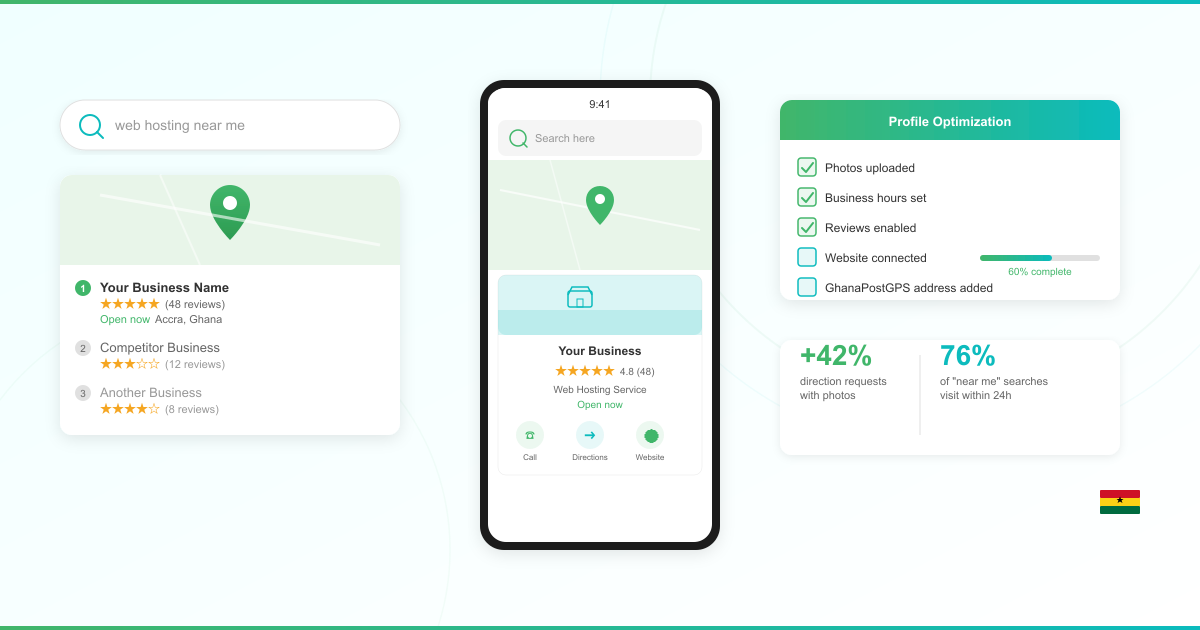



When a potential customer in Accra searches for your type of business, does your company appear on Google? If not, you are invisible to 98% of consumers who search online to find local businesses.
Google Business Profile (formerly Google My Business) is a free tool that puts your business on Google Search and Google Maps. For Ghana companies, it is one of the most effective ways to attract local customers without spending a pesewa on advertising.
This guide walks you through setting up, verifying, and optimizing your Google Business Profile with Ghana-specific details, including how to use your GhanaPostGPS digital address.
What Is Google Business Profile?
Google Business Profile (GBP) is a free listing that displays your business information directly in Google Search results and Google Maps. When someone searches for “restaurants near me” or “web hosting in Accra,” Google shows a map with local businesses. That map section is called the Local Pack, and it appears above the regular search results.
Your GBP listing shows your business name, address, phone number, website, opening hours, photos, and customer reviews. It is the first thing many customers see before they decide to visit your business or call you.
87% of consumers who use the internet to find local businesses use Google to do so. For Ghana businesses, this means your Google Business Profile is often the first impression you make.
Why Every Ghana Business Needs a Google Business Profile
Three reasons to set up your profile today:
You show up when customers search. 46% of all Google searches have local intent. When someone in Kumasi searches for your service, your GBP listing can appear at the top of the results, above even the paid ads.
Customers take action fast. 76% of people who search “near me” on mobile visit a business within 24 hours. A complete profile turns search traffic into foot traffic.
It is completely free. Unlike paid ads or social media promotions, your Google Business Profile costs nothing to set up and maintain. You get visibility on Google Search and Google Maps without a marketing budget.
A complete Google Business Profile is 70% more likely to lead to store visits. That is a significant advantage over competitors who have not claimed their listing.
Step-by-Step: Set Up Your Google Business Profile in Ghana
Follow these steps to create your listing:

Step 1: Sign In to Google
Go to business.google.com and sign in with your Google account. If you do not have one, create a free Gmail account first.
Use an email address you check regularly. Google sends important notifications about your profile to this address.
Step 2: Enter Your Business Name
Type your exact business name as customers know it. Do not add extra keywords like “Best Restaurant in Accra” to your business name. Google penalizes keyword-stuffed names and may suspend your listing.
Step 3: Choose Your Business Category
Select the category that best describes what your business does. Google uses this to match your business with relevant searches.
Be specific. If you run a web design agency, choose “Web Designer” rather than “Business Service.” You can add additional categories later.
Step 4: Add Your Business Location
If customers visit your physical location, select “Yes” and enter your address. For Ghana businesses, enter your street address and city. In the next section, you will learn how to use your GhanaPostGPS digital address to pinpoint your exact location.
If you serve customers at their location (like a plumber or delivery service), you can set up as a service-area business instead. This lets you specify the areas you serve without displaying a physical address.
Step 5: Add Contact Details
Enter your business phone number and website URL. Both are optional but strongly recommended.
Your website link is one of the most valuable parts of your profile. It drives customers from Google directly to your site where they can learn more, make purchases, or contact you. If you do not have a website yet, read our guide on how to build a business website in Ghana.
Step 6: Complete Your Profile
Add your business hours, a description of your services, and photos. The more complete your profile, the better it performs in search results.
Write a business description that clearly explains what you do, who you serve, and what makes you different. Keep it under 750 characters.
How to Use Your GhanaPostGPS Digital Address
Ghana’s traditional addressing system can make it difficult for customers to find your business. GhanaPostGPS solves this by assigning a unique digital address to every 5-meter-by-5-meter area in Ghana.
Here is how to use it with your Google Business Profile:
Find your digital address. Download the GhanaPostGPS app from the Google Play Store or Apple App Store. Stand at your business location and the app generates your unique digital address (format: XX-000-0000).
Add it to your business description. Include your GhanaPostGPS digital address in your GBP business description. For example: “Visit us at our Osu showroom. Digital Address: GA-000-0000.”
Pin your exact location on the map. When setting up your GBP address, drag the map pin to your exact business location. This is especially important in areas where street addresses are imprecise. Your GhanaPostGPS coordinates help you place the pin accurately.
Share it with customers. Add your digital address to your website, business cards, and social media profiles alongside your Google Maps link. This gives customers two reliable ways to find you.
How to Verify Your Google Business Profile in Ghana
Verification proves to Google that your business is real and that you are the owner. Until you verify, your listing will not appear in search results.
Google determines which verification methods are available based on your business type and location. You cannot choose your preferred method. Here are the options you may see:
Video verification. Google asks you to record a short video showing your business location, signage, and proof that you manage the business. Google’s verification guidance recommends this option for businesses that are eligible for it.
Phone or SMS verification. Google sends a verification code to your business phone number via call or text message. Enter the code in your GBP dashboard. The code reaches you straight away, but verification is not instant: Google’s verification help states that its review of your profile can take up to 5 business days.
Email verification. Google sends a code to your registered email address. Enter it to complete verification.
Postcard verification. In some cases, Google mails a postcard with a verification code to your business address. According to the same Google guidance, most codes arrive within 14 days. Check your mail regularly and do not change your business information while waiting for the postcard.
Tip for Ghana businesses: Make sure your business signage is clearly visible before attempting video verification. If you operate from a shared office or market stall, prepare documentation that shows your business name at the location.
Optimize Your Profile for Maximum Visibility
Setting up your profile is just the beginning. Optimization is what drives results.

Add High-Quality Photos
Photos make a measurable difference. Profiles with photos get 42% more requests for directions on Google Maps.
Upload at least 10 photos including:
- Your storefront or office exterior
- Interior shots of your workspace
- Your products or services in action
- Your team at work
- Your logo and branding
Use well-lit, clear images. Avoid blurry photos or stock images. Customers want to see the real business.
Collect and Respond to Reviews
Reviews are one of the strongest ranking factors for local search. Ask satisfied customers to leave a review on your Google Business Profile.
Respond to every review, positive and negative. A thoughtful response to a negative review shows professionalism and builds trust with future customers.
Publish Google Posts
Google Posts let you share updates, offers, events, and news directly on your profile. Businesses that post regularly appear more frequently in local search results.
Share weekly updates about promotions, new products, or industry tips. Each post stays visible for seven days.
Use the Q&A Section
Customers can ask questions directly on your profile. Monitor this section and answer promptly.
Pro tip: add your own frequently asked questions and answers. This lets you control the narrative and provide accurate information before customers ask.
Keep Your Information Current
Update your hours for holidays and special occasions. Change your phone number or address immediately if they change. Inaccurate information frustrates customers and damages your credibility.
Connect Your Google Business Profile to Your Website
Your Google Business Profile and your website work together. The profile attracts attention on Google. Your website converts that attention into customers.
Here is why you need both:
Your website gives customers depth. A GBP listing shows basic information. Your website shows your full product catalog, pricing, testimonials, portfolio, and detailed service descriptions.
It strengthens your local SEO. Google uses your website content to understand what your business offers. A well-optimized website with location-specific content signals to Google that you are a legitimate, relevant business. Read our SEO starter guide for Ghana businesses to learn how.
It builds trust. Customers who find you on Google Maps often visit your website before making a decision. A professional website with an SSL certificate, fast load times, and clear information builds confidence. Learn why your business needs more than just social media in our guide on website vs social media for business.
Your Google Business Profile needs a website to link to. Explore LUMINWEB hosting plans built for Ghana businesses, with free domain, free SSL, and local support.
Local SEO Benefits of Google Business Profile
Your Google Business Profile is the foundation of your local SEO strategy. Here is how it boosts your online visibility:
Map Pack ranking. Businesses with optimized GBP listings appear in the Local Pack, the prominent map section at the top of search results. This is the most visible position on Google for local searches.
Mobile search dominance. Most Ghanaians access the internet on mobile devices. Google Business Profile is designed for mobile, showing your phone number as a tap-to-call button and your address as a one-tap navigation link.
Free analytics. GBP provides insights into how customers find you, what searches they use, and what actions they take. Use this data to refine your marketing strategy.
Integration with Google Maps. When customers search on Google Maps for directions, your optimized listing with accurate location, photos, and reviews stands out from businesses with incomplete profiles.
For a deeper understanding of how to plan your complete online presence, explore our guide to website costs in Ghana. Once your profile is live, layer it into a wider playbook to advertise your business online in Ghana across WhatsApp, Facebook, Google, and TikTok.
Frequently Asked Questions
How do I set up my business on Google in Ghana?
Start at Google’s Business Profile site: sign in with a Google account, enter your business name and category, then add your location and contact details. Google asks you to verify the profile before it appears in search.
The form is short enough to finish in one sitting; verification is the part that takes days. The six steps above cover the process in full, and your GhanaPostGPS code goes in your business description, not Google’s address form.
How long does it take to verify a Google Business Profile in Ghana?
A phone or SMS code reaches you straight away, but your profile is not live at that moment. Google’s verification help states that once you complete the verification steps, its review can take up to 5 business days. Google’s guidance on verification by video recording gives the same five-business-day review window. Google publishes no Ghana-specific verification timings, so these windows are its global guidance and apply the same way in Ghana as anywhere else.
Plan it this way: the form is one sitting, then up to 5 business days of review for phone, SMS or video verification. If you are offered postcard verification, Google says most codes arrive within 14 days and that verification codes expire after 30 days, so allow for that on top. Google sets which methods you are offered based on your business type, public information, region or business hours, and postcard verification is not available for all businesses.
Is a Google Business Profile free for Ghana businesses?
Yes. Adding photos, managing and responding to customer reviews, and sharing offers and updates are all part of the free profile, according to Google’s own Business Profile page.
The same Google page states that creating a Business Profile and listing your business on Google is free. The section above on why every Ghana business needs a Google Business Profile covers what that free listing is worth.
What is a GhanaPostGPS digital address and why use it on Google?
Before you copy your code, GhanaPost advises turning your phone’s location on, standing in front of your property, and checking that the accuracy shown under the code is within 3 metres.
GhanaPost describes GhanaPostGPS as a system that divides Ghana into grids of 5m x 5m squares and assigns each one a unique address, so every land and property gets a permanent address. On your Google Business Profile, that gives customers an exact point to navigate to. The section above covers adding it to your profile.
Get Your Business Found on Google Today
The local visibility a Google Business Profile delivers lasts as long as your business operates.
Start with the basics: create your listing, add your GhanaPostGPS digital address, verify your business, and upload quality photos. Then optimize consistently with reviews, posts, and accurate information.
Your Google Business Profile drives customers to your doorstep. Your website turns those visitors into paying customers. Together, they are your most powerful online presence.
Ready to build a professional website that works with your Google Business Profile? Explore LUMINWEB hosting plans with free domain, free SSL, and a money-back guarantee on shared hosting — see the refund policy for what it covers. Built for Ghana businesses.
